Quick answer
If the UK ETA app is not working, check your phone, camera access and passport first. On Android, the app needs Android 12 or later and at least 165 MB of free space. If you cannot download or use the app, you can apply online on GOV.UK.
Checked on 18 November 2026 against GOV.UK: Using the UK ETA app.
- The app is available in English only.
- You cannot get a refund once you have applied.
- An ETA is valid for 2 years or until your passport expires, whichever comes first.
- Applying through another website or app does not get you a faster decision.

On this page
What to prepare before you open the app
- Your phone. On Android, you need Android 12 or later. Free up at least 165 MB so the app can install.
- Camera permission. The app should ask for camera access. If it does not, turn it on in your phone settings.
- Your passport. Use the original physical passport. A copy or a digital passport will not work. Use the same passport you will travel with.
- Payment. Have an accepted payment method ready: Apple Pay, Google Pay, American Express, JCB, Mastercard or Visa.
For a full walkthrough, see how the official UK ETA app works.
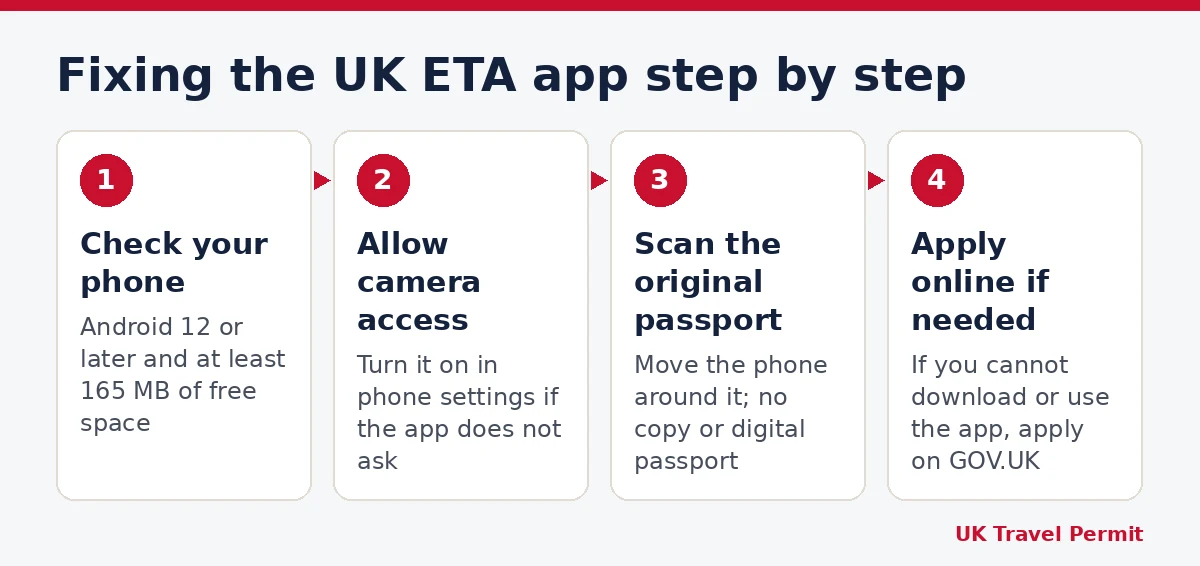
How to fix the most common UK ETA app problems
1. The app will not install or open
- Check your Android version. You need Android 12 or later.
- Check your storage. You need at least 165 MB free.
- If the app still cannot be downloaded or used, apply online on GOV.UK.
2. The passport scan is not working
- Make sure you are scanning the original passport, not a copy.
- Check that the app has camera access in your phone settings.
- If the app does not recognise the passport, move your phone around the passport.
- With a US passport, try laying the phone on the inside of the back cover.
The app reads the chip in your passport. If it cannot read the chip, it takes your details from a photo of the passport instead. US travellers can find more on the UK ETA page for US citizens.
3. The face scan failed
- Check whether the person needs a face scan. Everyone aged 10 or over must scan their face. Applicants aged 9 or under do not.
- Retake the photo before you submit.
- If the app warns that the photo does not meet the requirements, and you have a reason such as a religious or medical one, you can still submit it.
4. Payment does not go through
- Check the currency. The app shows a local currency, and you can change it.
- Use an accepted method: Apple Pay, Google Pay, American Express, JCB, Mastercard or Visa.
- Before you start again, check whether your first application was submitted. The fee is not refundable once you have applied.
5. No decision after you applied
Most decisions arrive within one day, but some take up to 3 working days. Read more about the UK ETA processing time.
App or online application: cost and timing
| UK ETA app | Online on GOV.UK | |
|---|---|---|
| Refund after applying | No | No |
| Passport chip | Scanned by the app | Not read; you upload a photo of the passport data page |
| Face | Face scan in the app | You upload a photo of your face |
| Usual decision time | Within 1 day, up to 3 working days | Within 1 day, up to 3 working days |
| Validity | 2 years or until the passport expires, whichever is first | 2 years or until the passport expires, whichever is first |
If you notice an error in your details after submitting, see what you can and cannot fix in a UK ETA application.
Frequently asked questions
What can I do if the UK ETA app face scan failed?
Retake the photo before you submit. If the app says it does not meet the requirements and you have a religious, medical or similar reason, you can still submit it.
Can I use a digital passport or a copy in the app?
No. You must use the original passport, and it must be the one you will travel with.
What if the UK ETA app does not work on my phone at all?
You can apply online on GOV.UK instead. The online form does not read the passport chip, so you upload a photo of the passport data page and a photo of your face.
Sources
This guide is general information, not legal or immigration advice. UK Travel Permit is an independent website and is not connected with the UK government.